
To restore an archived user, follow these steps:
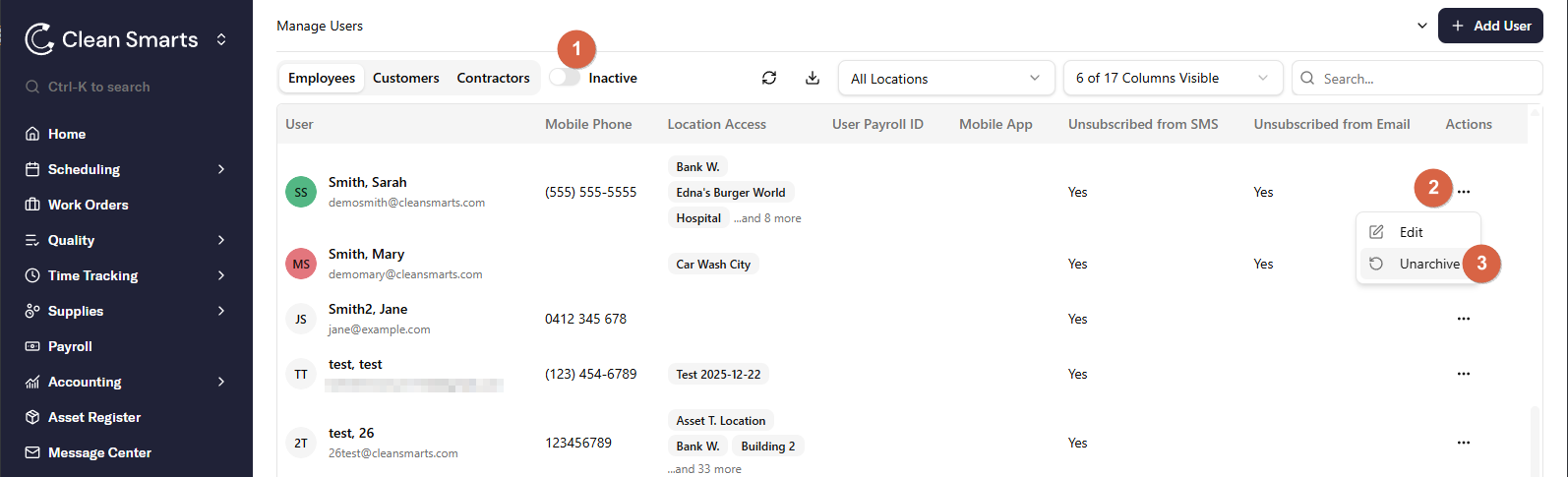
- Go to the Users page. At the top of the page, click the "Active" switch to show Inactive users.
- Click on the three-dot menu next to the user whose access you want to restore.
-
Click the Unarchive button to restore this user's access.
Note: you will need to reassign the user's shifts and inspections after restoring the account.
Note: If you are being billed by user and month, restoring an archived user will update the following month's invoice by a pro-rated amount of the monthly per-user price.